Forest Mountains Seamless Patterns: A Practical Resource for Designers and Creators
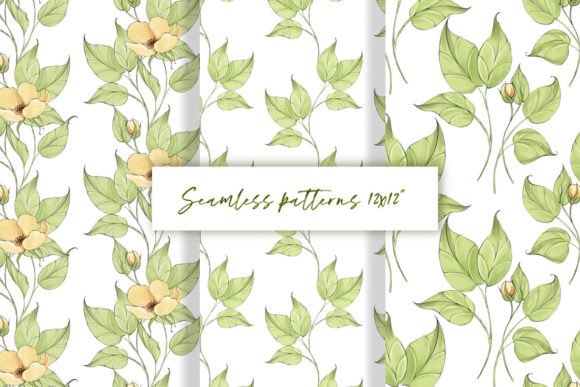
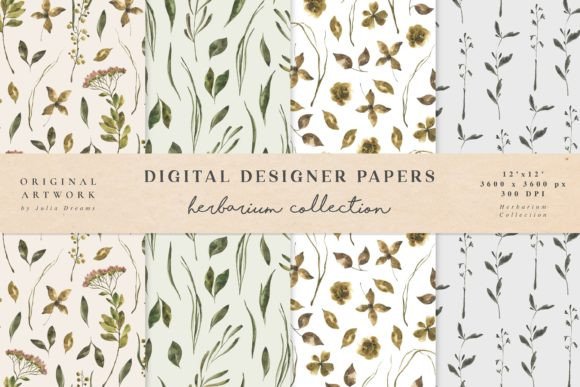
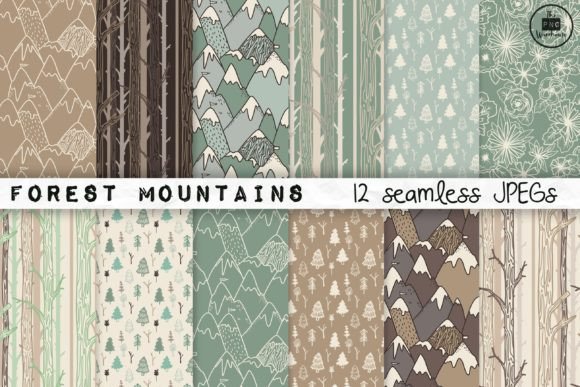
Forest Mountains Seamless Patterns is a curated set of 12 hand-drawn, nature-inspired seamless patterns—each built around cohesive visual themes: layered mountain silhouettes, delicate florals, stylized pine trees, misty forest canopies, and organic botanical motifs. Delivered as high-resolution JPEGs (12×12 inches / 3600×3600 pixels at 300 DPI), the full collection arrives in a single ZIP file—ready to drop into design workflows without conversion or resizing overhead.
Where These Patterns Fit in Your Creative Process
Unlike generic stock textures, Forest Mountains Seamless Patterns are designed with intentionality: each pattern repeats cleanly across any surface, scales predictably, and maintains visual harmony when layered or combined. That makes them useful at multiple stages—not just as a final decorative layer, but as a structural element in planning, prototyping, and production.
Before starting a project, designers use these patterns to establish mood boards or define brand aesthetics—especially for eco-conscious brands, wellness platforms, outdoor education materials, or nature-based publishing. During layout, they serve as background textures for presentations, social media templates, or printable workbooks. After finalizing content, they become consistent visual anchors in branded assets—from email headers to packaging mockups.
Integration Across Tools and Platforms
The JPEG format ensures broad compatibility. You can import Forest Mountains Seamless Patterns directly into Adobe Photoshop, Illustrator (via linked or embedded files), Figma (as image fills or auto-layout backgrounds), Canva (uploaded to your brand kit), or even Microsoft PowerPoint for polished slide decks. No plugins, converters, or subscription dependencies are required.
Because each file is 3600 pixels square at 300 DPI, they scale cleanly to print-ready sizes—including A4 reports, 12×12 scrapbook pages, or large-format posters—without pixelation or interpolation artifacts. For digital-only use, you can safely downscale without quality loss, preserving flexibility across devices and delivery formats.
Workflow Examples You Can Apply Today
- Branding & Identity Development: Apply one pattern as a subtle background in a style guide PDF or brand board. Use another as a repeating texture behind logo lockups in mockup presentations—ensuring visual continuity without competing with core messaging.
- Educational Materials: Teachers and course creators embed these patterns into worksheet headers, certificate backgrounds, or interactive PDFs. The organic rhythm supports focus and reduces visual fatigue compared to stark white or overly busy alternatives.
- Product Packaging & Merchandise: Small business owners designing eco-friendly product labels or tote bags can use the floral or pine tree patterns as repeatable base layers—then overlay typography or illustrations with precise alignment thanks to predictable tiling.
- Social Media & Marketing Assets: Use the misty mountain pattern as a consistent background across Instagram story templates or LinkedIn banner variations. Its soft contrast keeps text legible while reinforcing thematic cohesion across campaigns.
Preparation and Organization Tips
Unzip the folder immediately upon download—and rename it something specific like “ForestMountains_Patterns_v1” to avoid confusion with other asset libraries. Inside, you’ll find 12 clearly labeled JPEGs (e.g., “FM_PineForest_Seamless.jpg”, “FM_MountainSilhouette.jpg”). No need to rename further unless your team uses internal naming conventions.
For long-term usability, add these to your digital asset management system or cloud folder with clear metadata: include keywords like “seamless”, “hand-drawn”, “nature”, “print-ready”, and “300dpi”. If you use Adobe Bridge or similar tools, batch-tag them for quick filtering by theme (e.g., “floral”, “mountain”, “forest”) or use case (e.g., “background”, “texture”, “print”)
Quality Control and Consistency
Each pattern in the Forest Mountains Seamless Patterns set was drawn by hand, then digitally refined to ensure edge alignment and repeat integrity. That means no visible seams—even when tiled across large canvases or printed on fabric swatches. Test this yourself: open any file in Photoshop, duplicate the layer, offset by half the canvas width (Edit > Transform > Offset), and verify the transition is invisible.
Consistency also extends to tone and palette. Though not strictly monochromatic, all patterns share a unified earthy warmth—soft greens, slate greys, muted ochres—that works equally well with dark or light typography. This avoids the jarring mismatch that sometimes occurs when mixing patterns from unrelated sources.
Efficiency Gains Over Time
Once integrated, Forest Mountains Seamless Patterns reduce repetitive decisions. Instead of searching for “free seamless forest background” before every new project—or redrawing similar motifs manually—you have 12 vetted, production-ready options. That saves 10–20 minutes per use, compounding across dozens of projects yearly.
More importantly, it supports consistency across client work or internal branding. If you manage multiple small businesses or teach recurring courses, using the same mountain silhouette pattern across certificates, slide decks, and handouts builds subconscious recognition—without requiring custom illustration budgets.
Practical Implementation Notes
When applying patterns in vector tools like Illustrator, place them as linked images rather than embedded—this keeps file size low and allows global updates if you later replace a pattern version. In Figma, use the “Fill” property with image upload; adjust opacity or blend mode (e.g., Multiply or Overlay) to fine-tune interaction with underlying colors.
For print projects, always check color mode before sending to press: JPEGs from this set are RGB by default. Convert to CMYK only if your printer requires it—and soft-proof first to confirm tonal fidelity. Most modern digital printers handle RGB well, especially for short-run or on-demand jobs.
If you’re combining patterns with photography or illustrations, try layering a low-opacity floral pattern over a landscape photo to unify disparate elements. Or use the pine tree pattern as a clipping mask for text in a workshop agenda—creating instant thematic resonance without complex masking steps.
Long-Term Use and Adaptability
These patterns don’t expire, require renewals, or depend on third-party licensing tiers. Once downloaded, they’re yours to use commercially—across unlimited projects, clients, and products—as long as attribution isn’t mandated (it’s not). That makes them a stable foundation, unlike subscription-based pattern libraries where access vanishes if the service changes terms or shuts down.
They also adapt quietly to evolving needs. A pattern used for a 2023 wellness ebook cover works just as well in a 2025 workshop deck—or repurposed as a subtle watermark in a downloadable resource. Their hand-drawn authenticity gives them staying power beyond trend-driven digital assets.
Final Thought: Less Setup, More Substance
Forest Mountains Seamless Patterns succeed because they remove friction—not inspiration. They don’t ask you to learn new software, negotiate licenses, or troubleshoot resolution mismatches. They give you 12 reliable, tactile-feeling visuals that integrate cleanly into how you already work. Whether you’re sketching wireframes, prepping a client pitch, or laying out a seasonal newsletter, having these ready means more time spent on strategy, storytelling, and execution—and less time hunting, tweaking, or second-guessing.