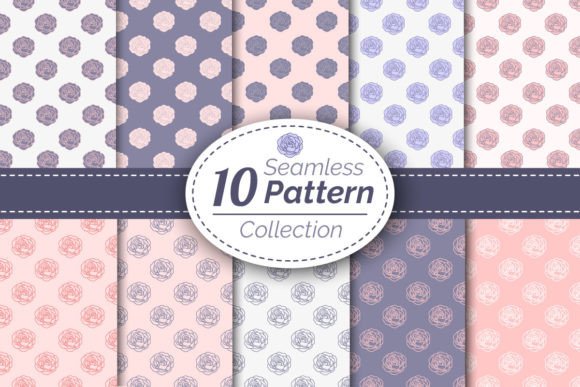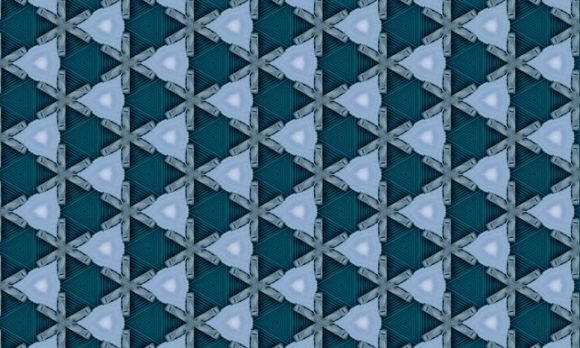
Damask Patterns: Timeless Elegance, Ready to Cut
There’s a quiet power in a well-executed damask pattern—subtle texture, balanced symmetry, and that unmistakable air of refined craftsmanship. Unlike fleeting trends, damask has endured for centuries across textiles, architecture, and print design—not because it’s flashy, but because it communicates sophistication without shouting. Today’s digital creators don’t need to redraw these motifs from scratch or wrestle with low-res scans. Damask Patterns delivers original, hand-drawn vector designs built for precision, flexibility, and real-world use.
What Makes These Damask Patterns Different?
These aren’t algorithmically generated repeats or traced historical scans. Each pattern is hand drawn in Adobe Illustrator by a designer who understands both the heritage of damask and the demands of modern production. That human touch shows in the rhythm of the curves, the intentional weight distribution in stems and flourishes, and the clean negative space that keeps the motif legible—even at small scales.
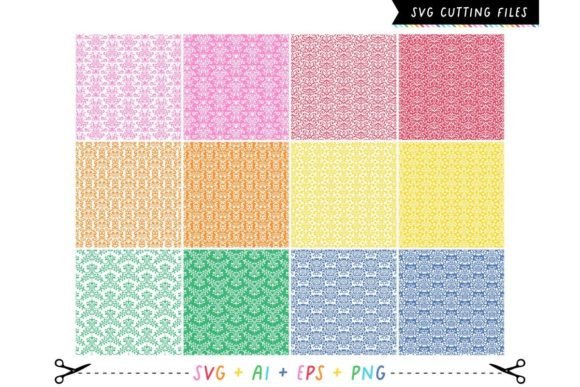
The result? A set of approximately 12 × 12 inch vector patterns that hold up flawlessly whether scaled down for a business card border or enlarged to cover a 6-foot banner. They’re not just “vector”—they’re optimized: minimal anchor points, logically grouped layers, and consistent stroke-to-fill conversion so your cutting machine or print RIP interprets them correctly every time.
Why Format Variety Matters (Beyond Just .SVG)
You’ll receive each Damask Pattern in four formats: .SVG, .EPS, .PNG, and .AI. That’s not redundancy—it’s workflow insurance.
- .SVG works natively in Cricut Design Space, Silhouette Studio, and web-based editors—ideal for crafters, educators, and small-batch product makers needing fast, reliable cut files.
- .EPS ensures compatibility with older commercial print workflows and large-format plotters used by sign shops and packaging vendors.
- .AI gives designers full editability—adjust colors, isolate elements, or adapt a section into a custom monogram without losing fidelity.
- .PNG (high-res, transparent background) lets you drop motifs instantly into presentations, social posts, or mockups—no tracing, no transparency fixes.
This cross-format readiness saves hours per project—especially when collaborating across teams where one person uses Canva, another runs a Roland cutter, and a third prepares a PDF for offset printing.
Real Applications Across Roles and Industries
A freelance branding designer used one of these Damask Patterns as a subtle watermark behind a luxury skincare client’s product photography—scaled to 8% opacity, it added depth without competing with the subject. An elementary art teacher printed the same file on cardstock, cut it with a classroom die-cutter, and turned it into layered stencils for a textile history unit. Both got identical visual quality; neither had to adjust spacing, fix stray nodes, or re-rasterize.
Here’s where Damask Patterns consistently adds value:
- Product creators: Apply to vinyl decals, ceramic transfers, or laser-etched wood—clean vectors mean sharp edges and no pixelation on curved surfaces.
- Educators & trainers: Use as repeat backgrounds in slide decks or worksheets—professional appearance without licensing risk or watermarks.
- Marketers: Layer over email headers or landing page sections to reinforce brand elegance without slowing load times (thanks to lightweight SVG).
- Publishers & bloggers: Embed as decorative dividers between article sections or as chapter headers in downloadable workbooks—scalable, accessible, and printer-safe.
- Hobbyists: Resize freely for embroidery hoops, sublimation mugs, or iron-on patches—no distortion, no guesswork.
Design Integrity Meets Technical Precision
Many free or low-cost damask downloads suffer from inconsistent line weights, overlapping paths, or poorly constructed compound shapes—issues that cause mis-cuts, unexpected fills, or crashes in certain software. These Damask Patterns were built with production in mind: all strokes expanded, anchors simplified, and overlapping geometry resolved before export. There are no hidden raster effects, embedded fonts, or linked assets. What you see in Illustrator is exactly what cuts, prints, or renders elsewhere.
Color is handled thoughtfully, too. Each pattern ships in black (for universal cutting and silhouetting), but the vector structure makes recoloring effortless—whether you’re switching to Pantone 185 C for a branded swag item or applying gradient overlays for a digital ad campaign.
Practical Considerations Before You Use Them
While these Damask Patterns are production-ready, context still matters. If you’re applying one to fabric via heat transfer, test a small section first—the density of the motif affects how evenly adhesive bonds. For laser cutting, verify that internal cut lines are set to “cut” (not “score”) and that nested elements aren’t accidentally grouped with background layers.
Also consider scale intention. Traditional damask relies on repetition and rhythm—so avoid stretching a single tile to fill an enormous wall unless you’ve tested the visual impact at full size. Instead, repeat the 12 × 12 tile naturally, letting the pattern breathe. Most design software handles tiling seamlessly, and the included EPS and AI files preserve tile boundaries for easy replication.
Not Just Decoration—A Strategic Visual Asset
Think of Damask Patterns less as “clip art” and more as foundational visual infrastructure. Like choosing a versatile typeface or building a cohesive color system, selecting a high-quality, technically sound pattern library pays dividends across projects, platforms, and timelines. It reduces decision fatigue, eliminates licensing gray areas, and ensures your output reflects intention—not compromise.
Whether you’re launching a boutique stationery line, designing a conference backdrop, or creating printable lesson materials for a diverse classroom, these patterns offer consistency without rigidity. They’re elegant enough for a wedding invitation suite, structured enough for corporate identity guidelines, and adaptable enough for a weekend craft project—all from the same source file.
That’s the quiet advantage of starting with originals: no reverse-engineering, no apologies for quality, and no wasted time fixing what should just work.